 WoWUI
WoWUI
Install any WoW UI in seconds.
A package carries one character's addon settings and layout — the addons themselves are named, not copied. Install somebody else's with a click, or send your own.
Not code-signed yet — Windows will show an unknown publisher when you run it. Choose More info → Run anyway.
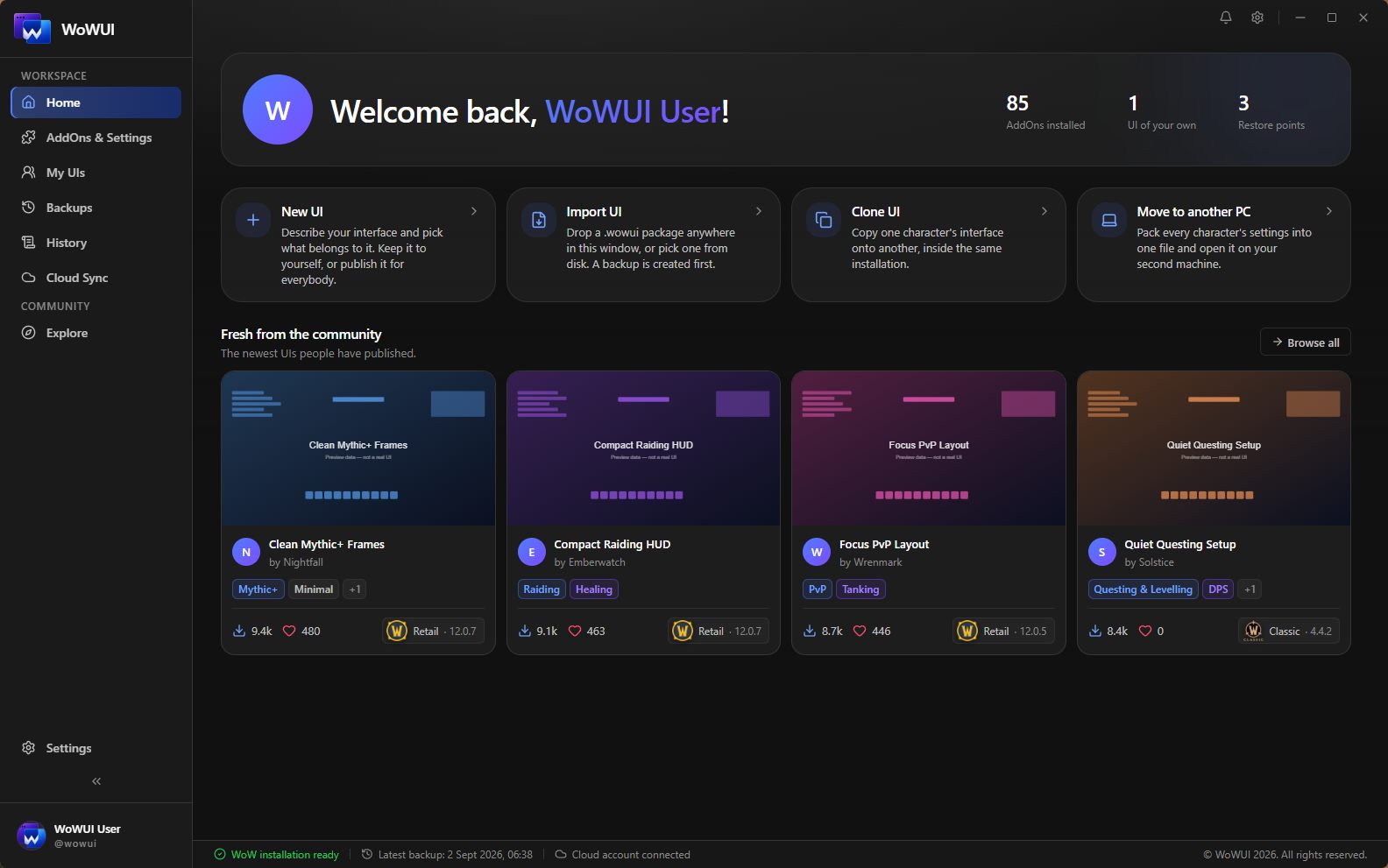
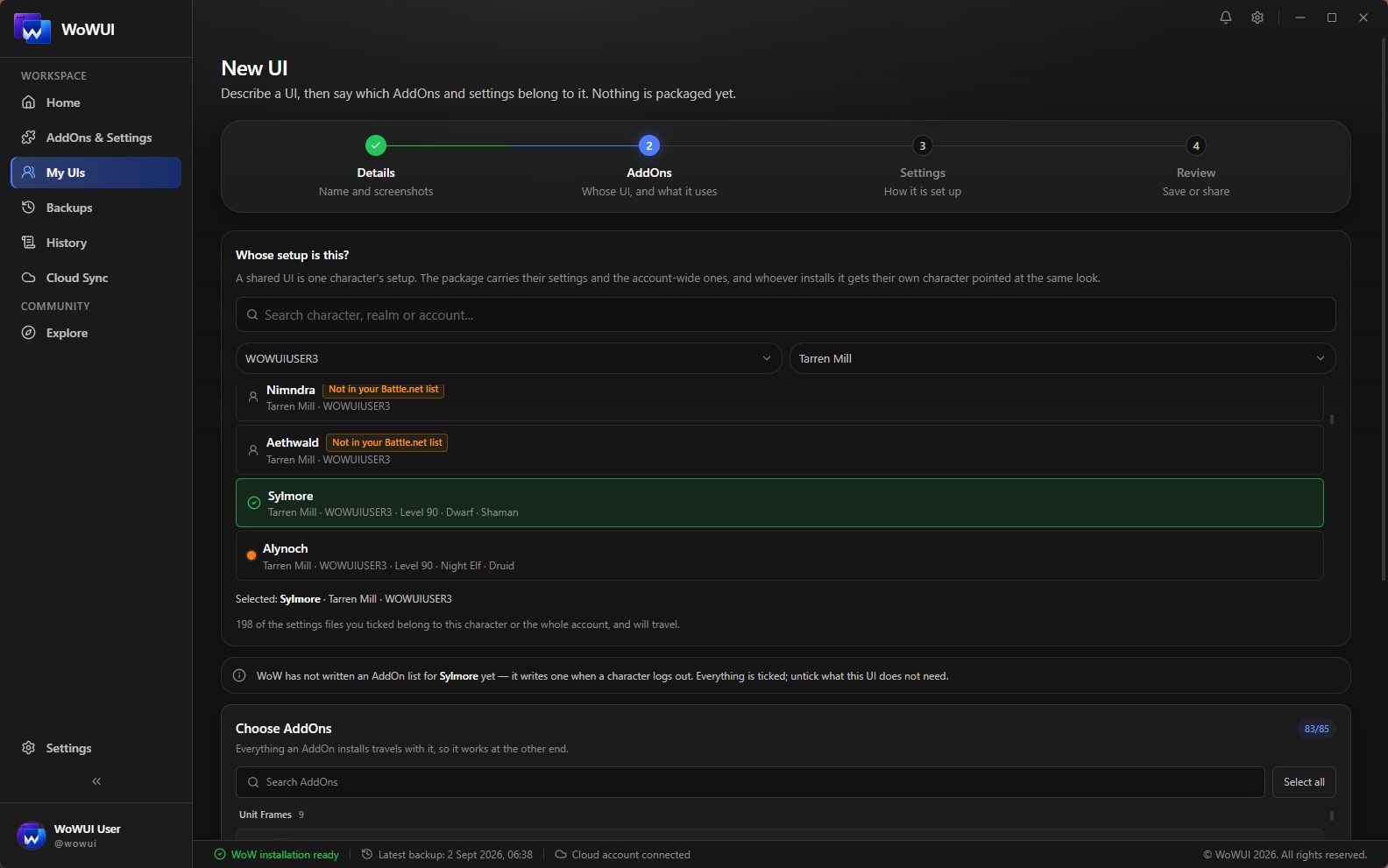
New UI
Name your UI, pick the character it belongs to, and WoWUI reads
the addons that character has switched on, the settings they
wrote and the layout you arranged. Out of it comes a single
.wowui package. Small enough for Discord.
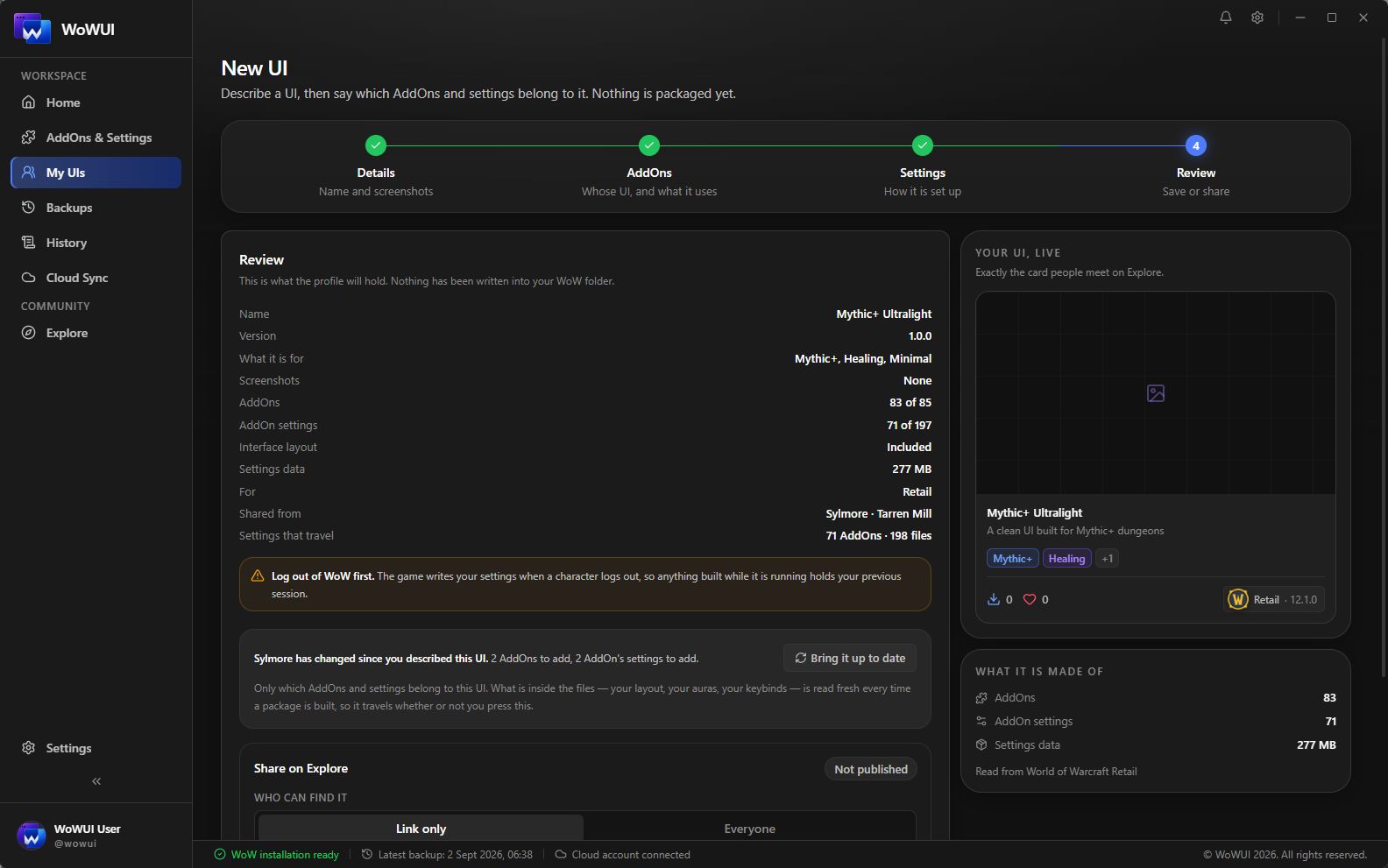
One description, three ways out: keep it as a draft, save it as a file for a friend, or publish it on Explore. The same bytes every time — the file you send and the one on your listing are built by the same step.
Log out first — the game writes its settings on the way out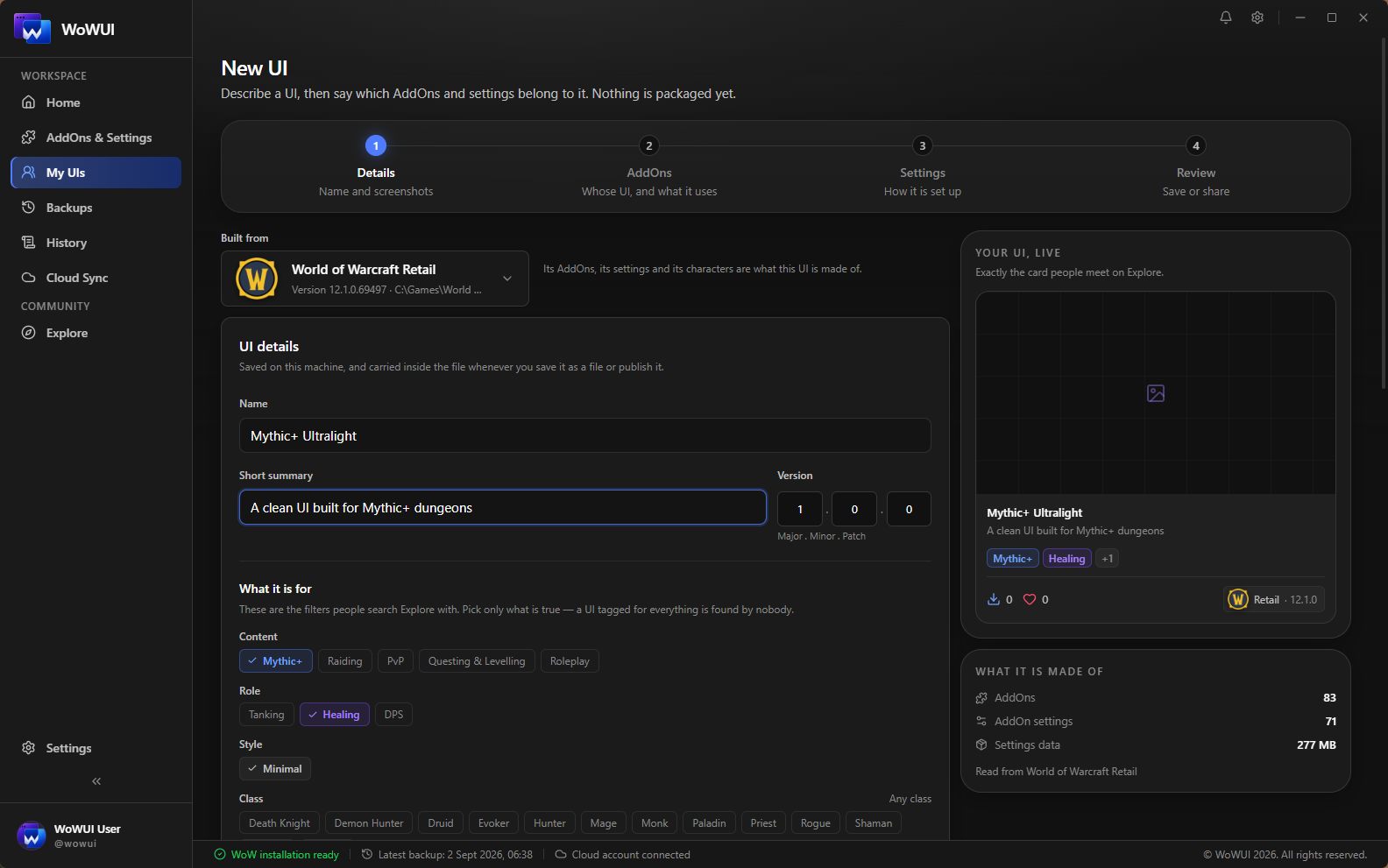
- 97
- AddOns named
- 210
- With settings inside
- 329
- Settings files
- 1
- Character
Import UI
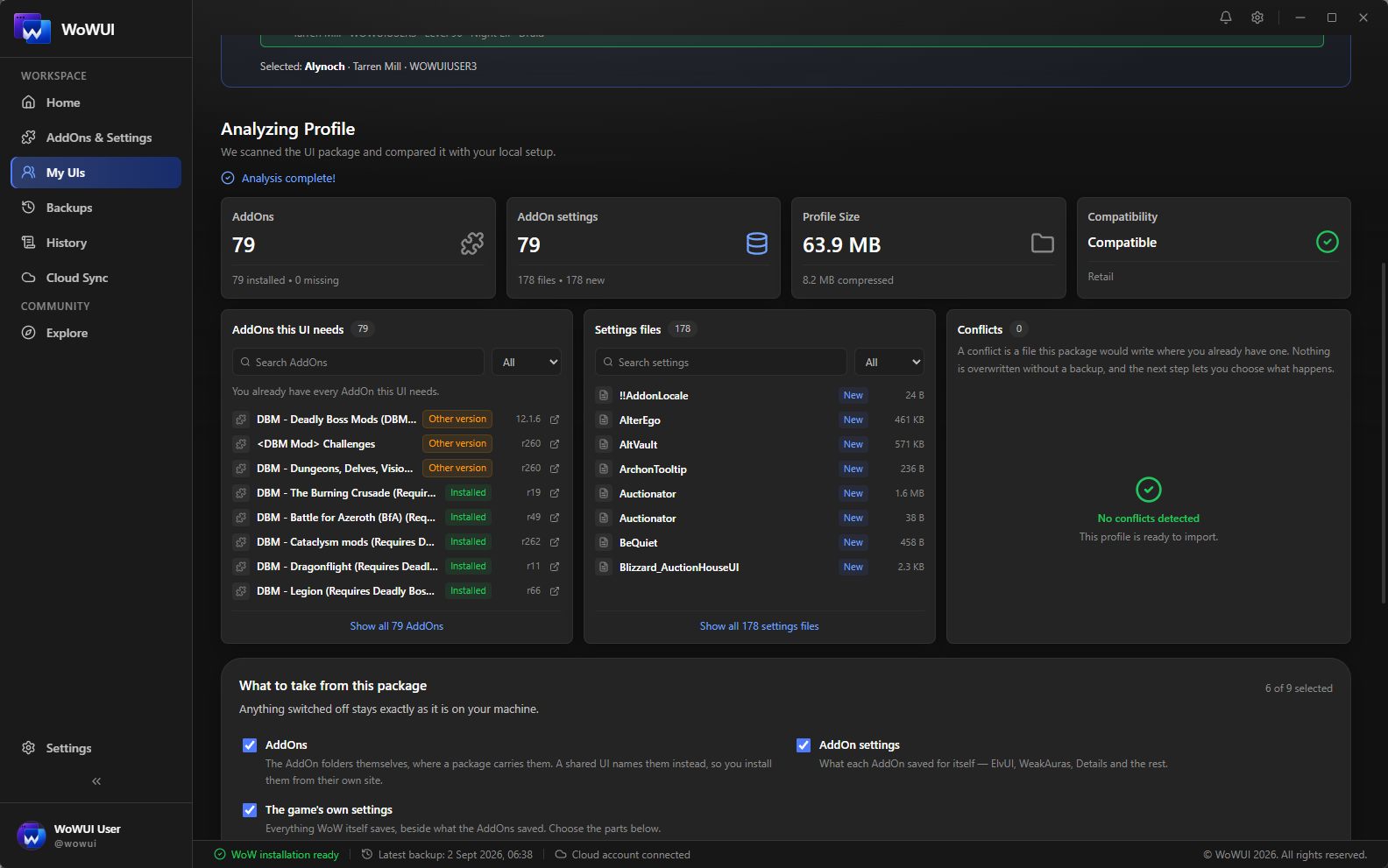
The import lists every file it would replace, every addon you still need, and what the restore point will cover — and waits. Nothing is written until you say so.
Keybindings, macros and graphics options stay yours unless you ask for them.
A restore point is taken first, always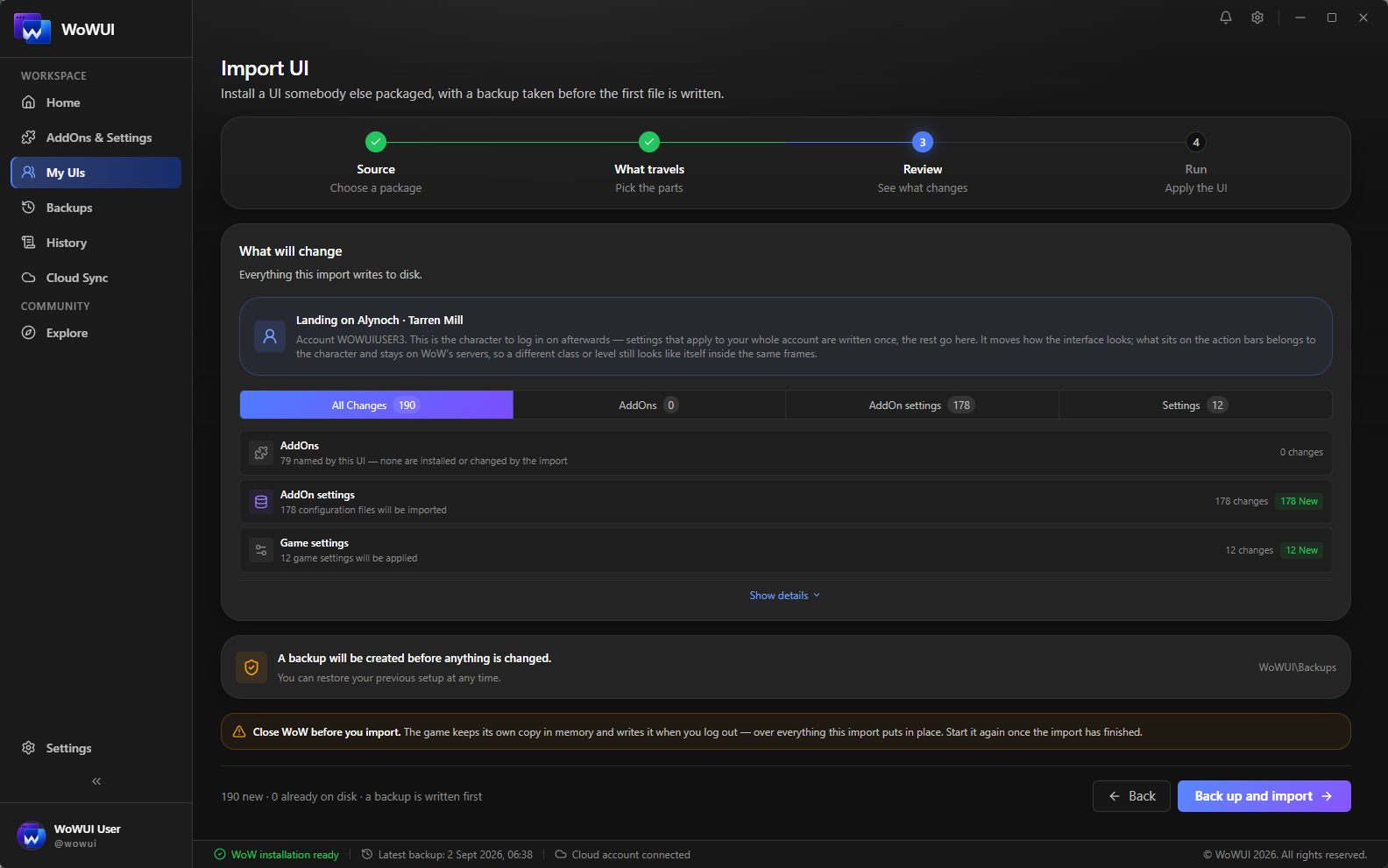
Explore
Browse what other players have published, see which addons you already have before you download anything, and install a setup that took somebody a season to arrange.
Publishing is free and needs no plan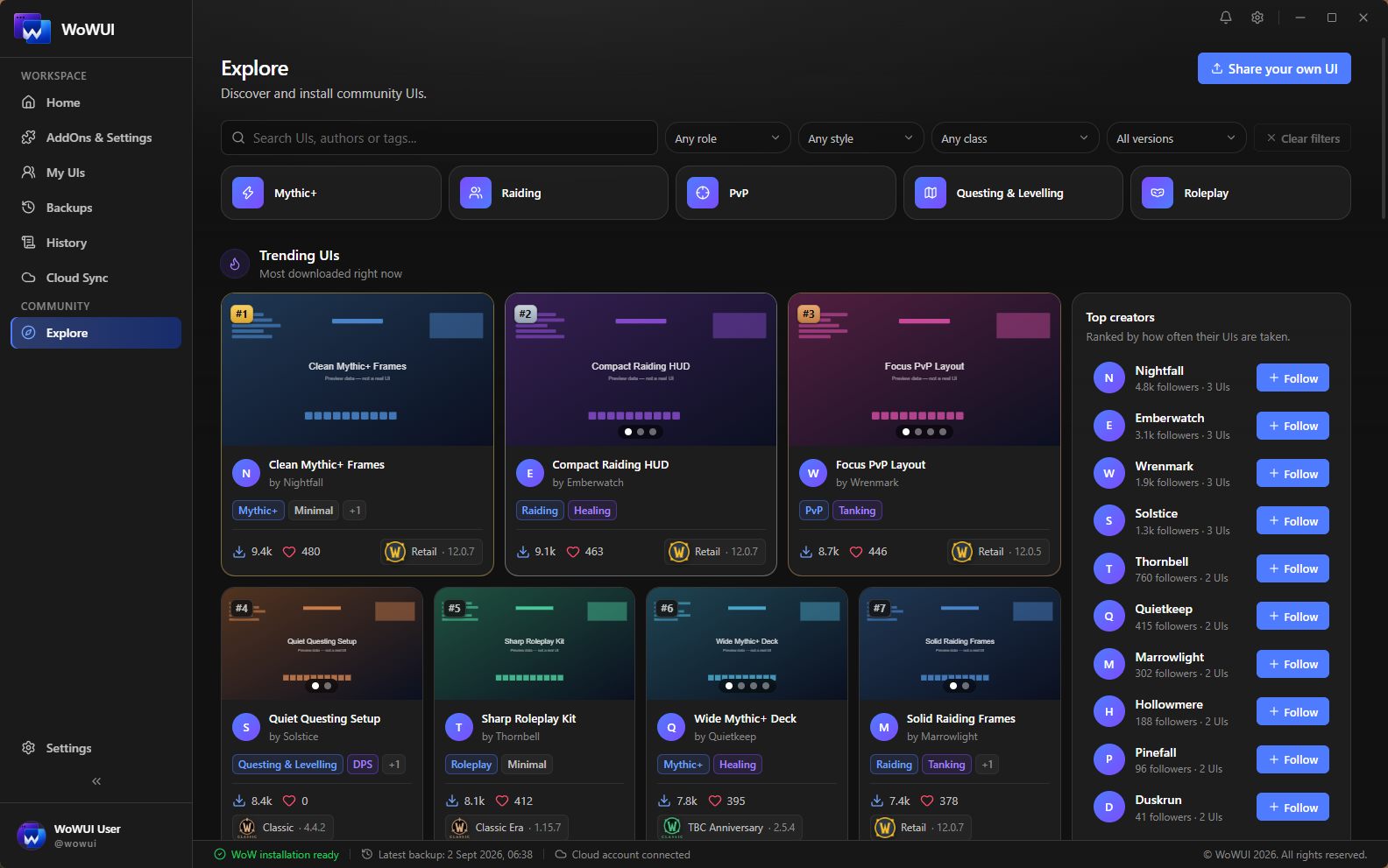
Clone UI
Your main is arranged the way you want it and your alt looks like a fresh install. Point one at the other and the settings are copied across inside the same game folder — no package, no download, nothing to send anywhere.
On one account there is nothing to copy for the account-wide settings: both characters already read the same files. Across two accounts those travel as well.
The character you copy onto is backed up first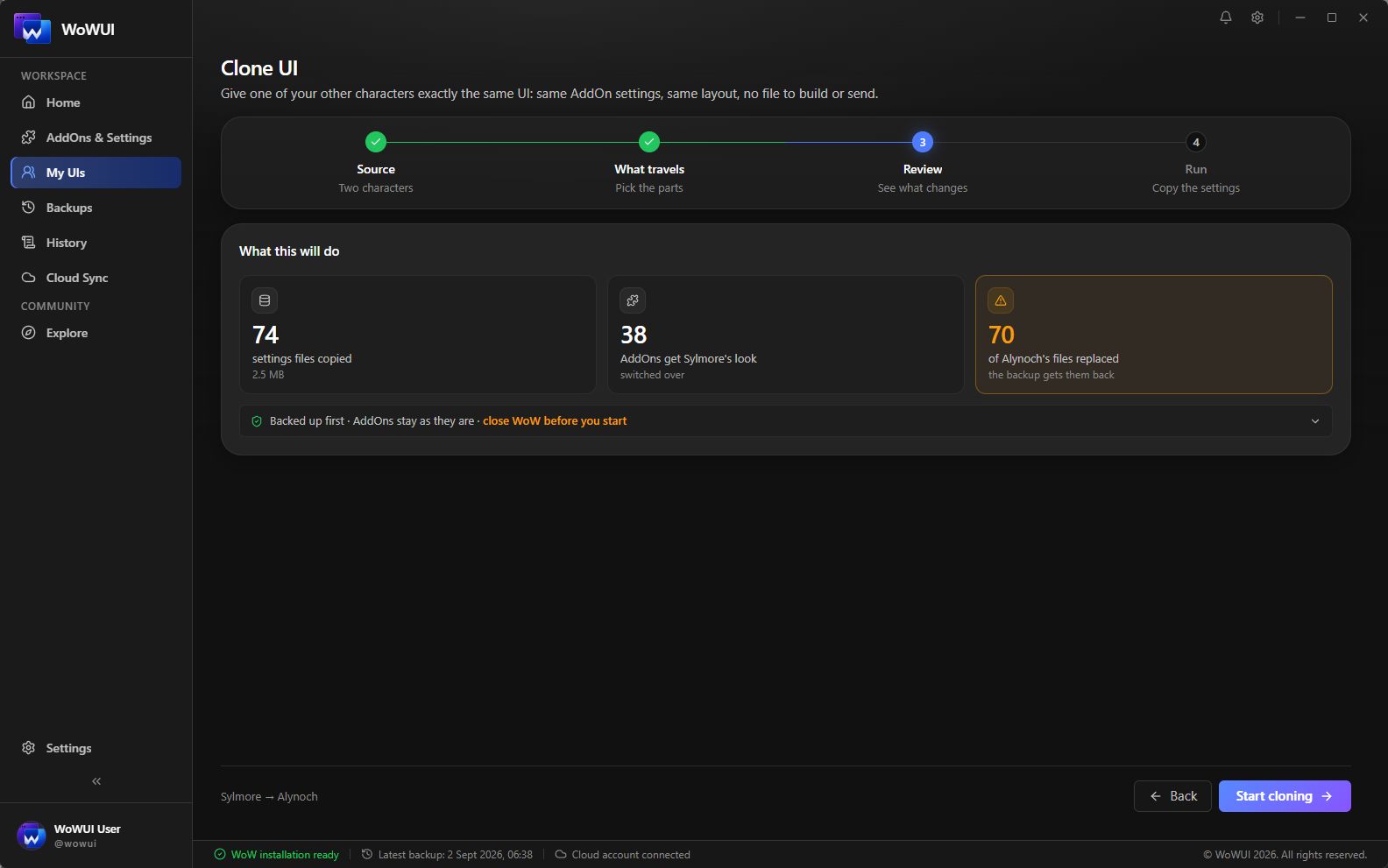
Move to another PC
A new PC, a fresh Windows, a second machine for the raid nights. One file with every character on it and all the settings they wrote — opened once at the other end, and the interface you spent two years arranging is simply there.
Every character, not one: this is the whole installation rather than a UI somebody publishes. It is the only package that carries names instead of placeholders, and the only one that cannot go on Explore.
Your addons install there the way they always do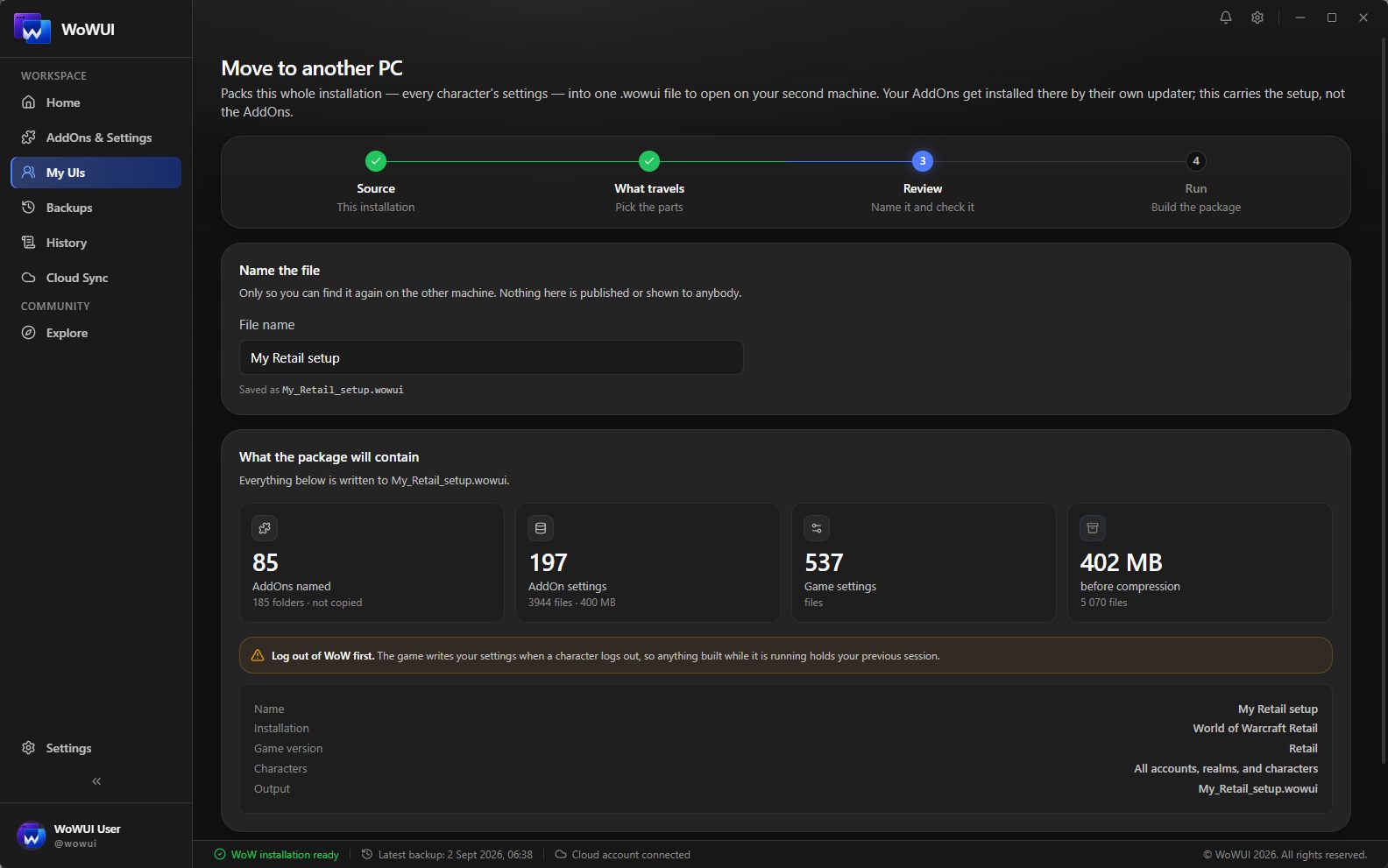
Backups
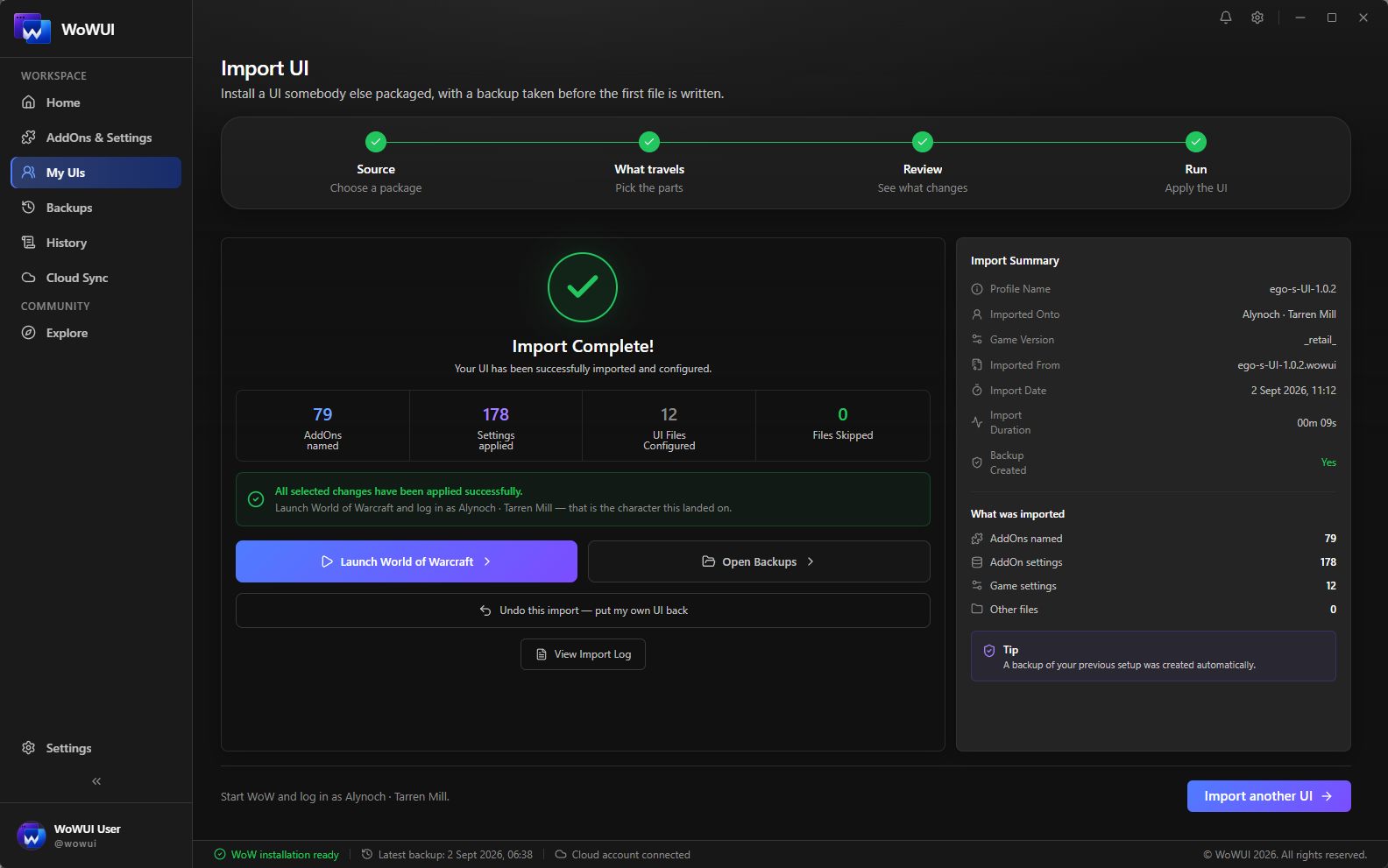
It never writes without a way back. Every import and every restore takes a restore point first — not a setting, not a checkbox somebody can leave off. It holds the files that import is about to replace and the names of the ones it is about to add.
Restoring it puts the first back and removes the second, so it undoes that import completely rather than burying it under a copy of everything.
Kept on this PC, and in your account when you switch that on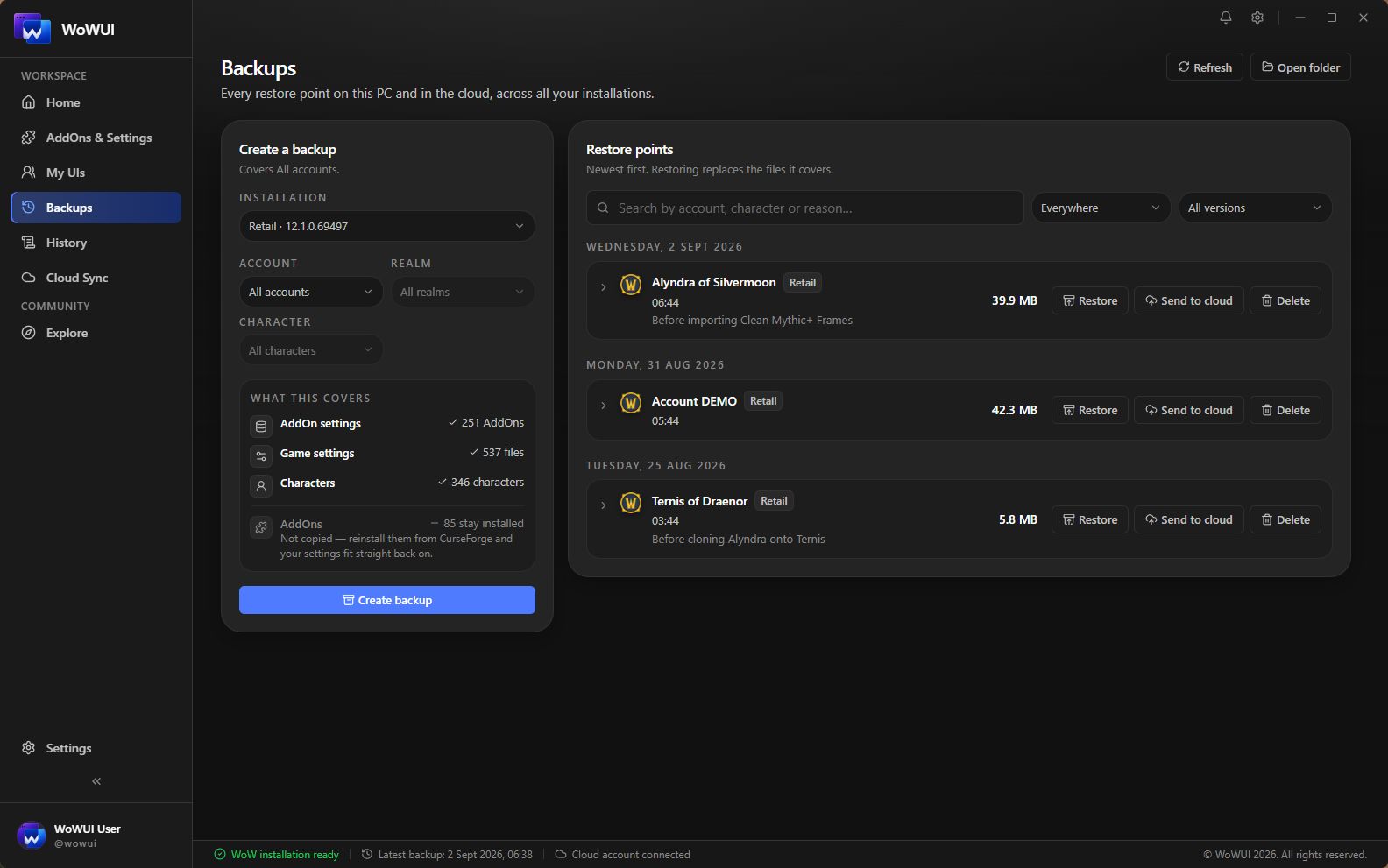
What is in the file.
Travels with it
-
AddOn settings
Everything your addons saved, for the character you picked.
-
Layout and interface
Frame positions, the Edit Mode layout, chat, and the client's own options.
-
The list of AddOns
Named, with a link each, checked against what the reader already has.
-
Macros and keybindings
In the file, and left switched off when you import unless you ask for them. Yours took years.
-
Which ones to switch on
Written for the reader's machine, not copied from yours.
Deliberately does not
-
The AddOns themselves
They stay with CurseForge, Wago and WowUp — where they came from, and where their updates live. On a full setup that is over a gigabyte of somebody else's work, and not ours to hand out.
-
Anything outside the folder you picked
Paths are checked before a byte is read; one that tries to leave ends it.
-
Other people's characters
A shared UI is one character, under placeholder names.
How it goes, end to end.
One character on one PC, a file, and the same setup on another — every screen below is the app, in the order you meet it.